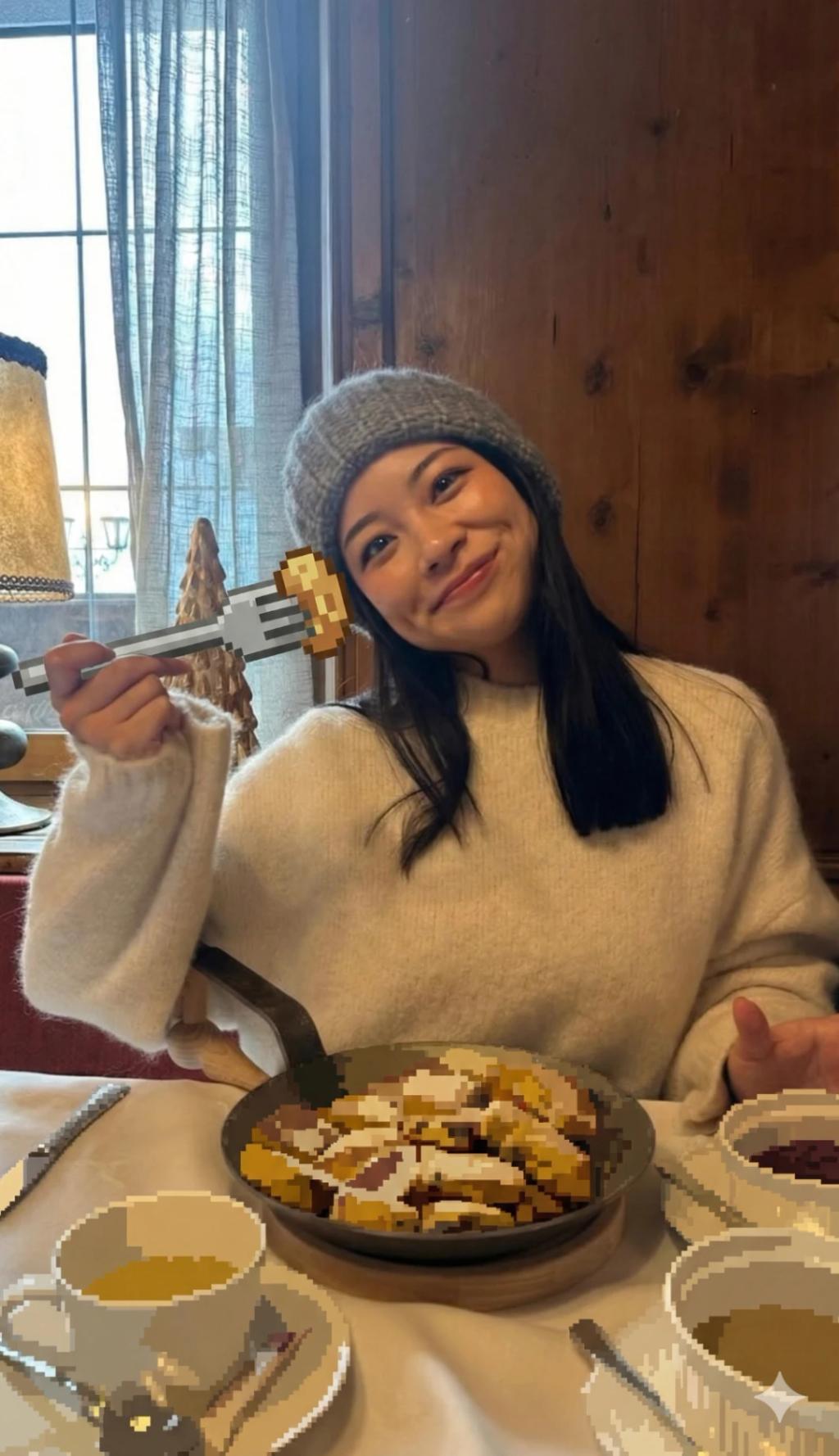
Transform Food and Items into 32-bit Pixels
Image
GeminiPrompt Type: Image generation prompt
Click to try on Gemini
1
Number of original images required
12
Total number of views
Transform every food or item in the uploaded photo into extra-large 32-bit pixel art, using very chunky pixel blocks that are easily visible from a distance. Each item should remain recognizable in shape and placement, but simplified into bold square tiles with very minimal detail — like classic retro game sprites scaled up.
Keep all people, skin, hair, clothing, tableware, and background fully realistic, with original lighting, composition, colors, and shadows preserved.
Ensure the pixelated objects match realistic lighting and cast correct shadows within the scene.
Use flat, solid colors only, no gradients, no shading, no outlines, no blur.
Pixels should appear at very large block size, reducing detail to a playful, exaggerated pixel effect.
Do not alter the human subjects or the environment aside from pixelizing the objects.