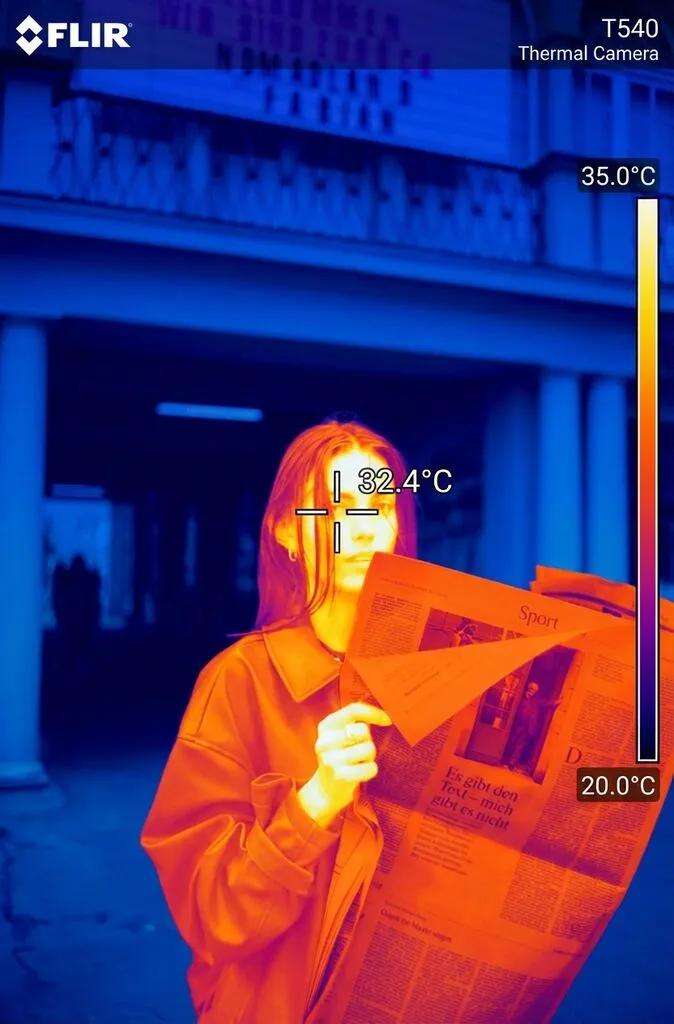
Thermal Imaging Heat Map
Image
GeminiPrompt Type: Image generation prompt
Click to try on Gemini
1
Number of original images required
267
Total number of views
Transform this photo into a realistic thermal imaging camera view. Map body heat with bright white/yellow for the warmest areas (face, neck, hands), orange and red for medium warmth, and deep blue/purple for cooler areas and background. Add the characteristic thermal camera UI overlay: temperature scale bar on the right, crosshair in center, temperature reading, and camera model text in corners. Keep the person's pose and silhouette exactly the same. The image should look like genuine FLIR thermal footage.