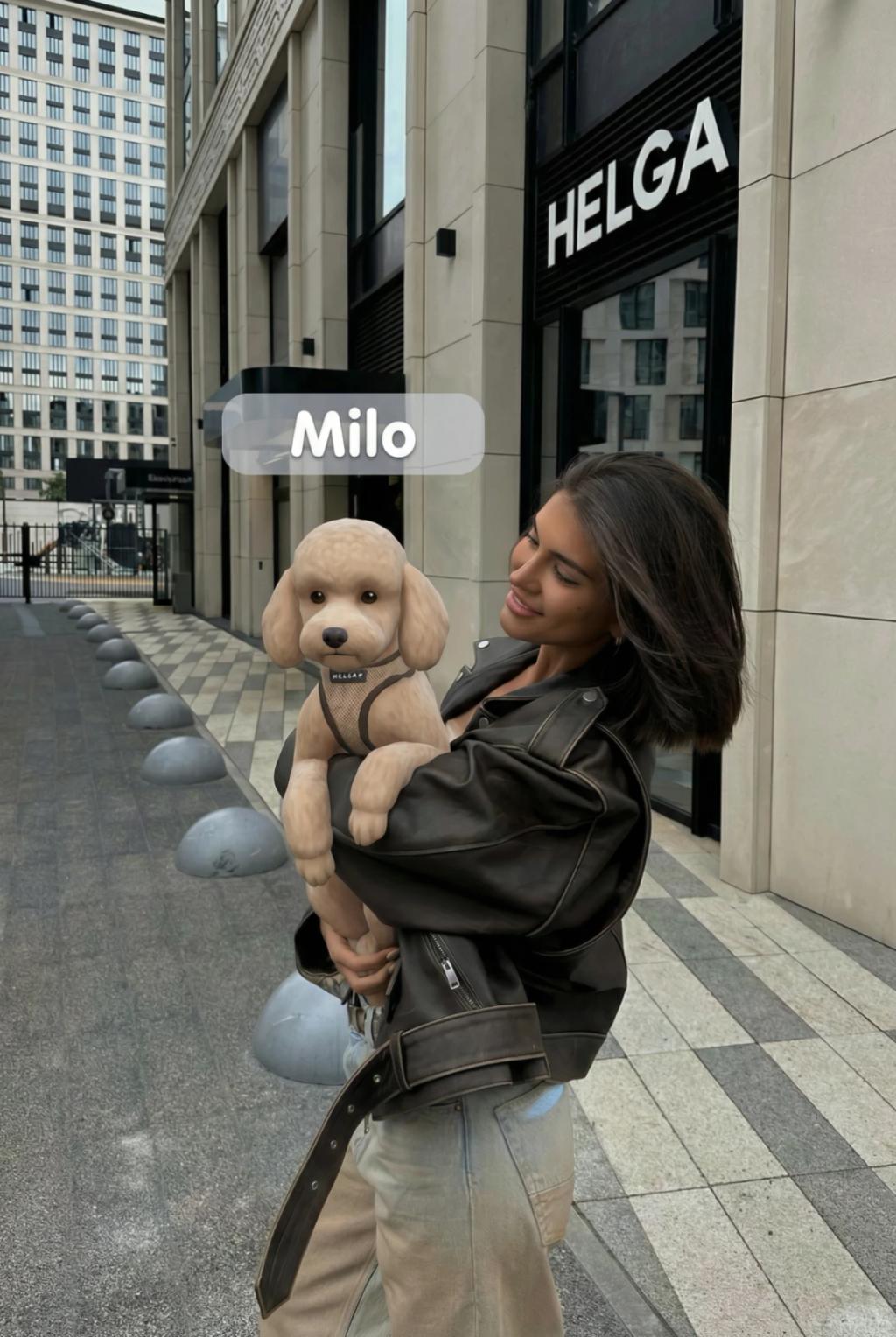
The Sims Pet Transformation
Image
GeminiPrompt Type: Image generation prompt
Click to try on Gemini
1
Number of original images required
351
Total number of views
PET NAME: [PET NAME]
────────────────────
Use the uploaded image as the exact base reference.
GOAL
Analyze the image and transform ONLY the animal (pet) into a The Sims–style character, while preserving the entire rest of the image exactly as-is.
ABSOLUTE RULE (NON-NEGOTIABLE)
• Do NOT change anything except the animal.
• No changes to humans, background, lighting, colors, camera angle, clothing, facial expressions, environment, or composition.
ANALYSIS & SEGMENTATION
• First, detect and segment all visible elements in the image.
• Identify and isolate the animal (pet) as the ONLY editable object.
• Lock all other elements (humans, background, sky, furniture, clothing, lighting) as non-editable.
PET TRANSFORMATION (THE SIMS STYLE ONLY)
• Transform the animal into a The Sims–style pet character.
• Style should match official The Sims pet rendering:
– Clean, slightly stylized proportions
– Smooth surfaces with simplified realism
– Soft, game-like shading (not painterly, not cartoon)
• Fur should appear simplified and groomed, not hyper-detailed or photoreal.
• Match the original animal’s breed, colors, and markings as closely as possible.
• Preserve the animal’s original pose, size, orientation, and exact position.
• Adapt lighting and shadows so the Sims-style pet matches the original photo’s lighting direction naturally.
STRICT EXCLUSIONS
DO NOT change:
• Human face or body
• Background or environment
• Camera angle or framing
• Depth of field
• Lighting or exposure
• Image resolution
• Overall realism of the photo
DO NOT add:
• Extra objects
• Filters
• Stylization to humans
• UI elements (except the name tag below)
THE SIMS NAME PLATE
• Add a subtle The Sims–style name plate above the animal’s head.
• The name plate text MUST use the PET NAME defined at the top.
• Font: clean, rounded, Sims-style sans-serif
• Background: semi-transparent soft gray or light blue
• Text color: white
• Placement: slightly above the animal’s head
• Perspective: match the camera perspective naturally
• Keep the UI minimal and believable, like in-game Sims visuals
FINAL OUTPUT
• The Sims-style pet should feel cleanly composited into the real photo.
• High-resolution output with clean edges and no artifacts.
• Balanced realism — game-like, not cartoony, not photoreal.
• Optimized for Instagram Story / Reel vertical format.