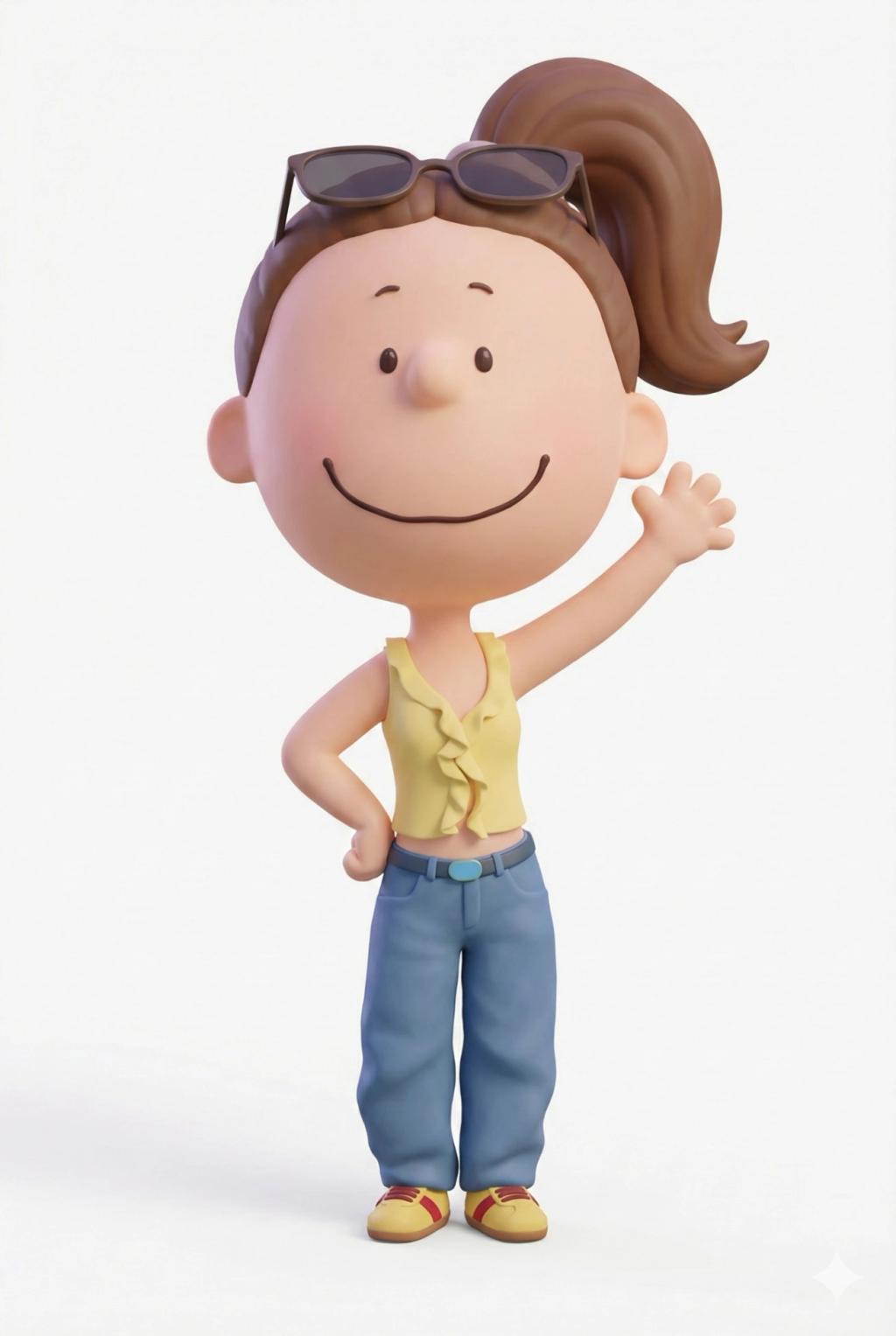
The Peanuts Movie Style 3D Character Transformation
Image
GeminiPrompt Type: Image generation prompt
Click to try on Gemini
1
Number of original images required
76
Total number of views
Use the uploaded image as the only source of identity.
Transform the subject into a 3D character rendered in the official The Peanuts Movie (2015) animation style.
STYLE & PROPORTIONS (STRICT — MUST FOLLOW)
Head: large, round, smooth head (~45–50% of total height)
Face: minimal Peanuts facial features
Small dot eyes
Simple curved or line mouth
Tiny or implied nose
Body: small, soft, childlike proportions
Short torso
Narrow shoulders
Simple rounded limbs
Hands & feet: very small, rounded, mitten-like shapes
Overall silhouette must clearly read as a Peanuts Movie character at a glance
3D RENDERING STYLE
Smooth, clay-like 3D surfaces
Soft pastel color palette
Gentle, diffuse lighting
Subtle shading only (no harsh shadows, no realism)
Clean, polished Pixar-level animation finish matching The Peanuts Movie
CHARACTER RETENTION (IMPORTANT)
Preserve the subject’s:
Clothing (colors, layers, silhouette)
Accessories
Hairstyle and hair color
Pose and body orientation
Facial expression and overall vibe
Simplify all details to Peanuts-style shapes while keeping the subject clearly recognizable
COMPOSITION & OUTPUT
Full-body character
Centered in frame
Same pose as the uploaded image
White background (no scenery, no props)
High-resolution PNG with alpha channel
NEGATIVE CONSTRAINTS
No realism
No anime
No exaggerated chibi proportions
No textures, pores, or fabric detail
No background elements
No text