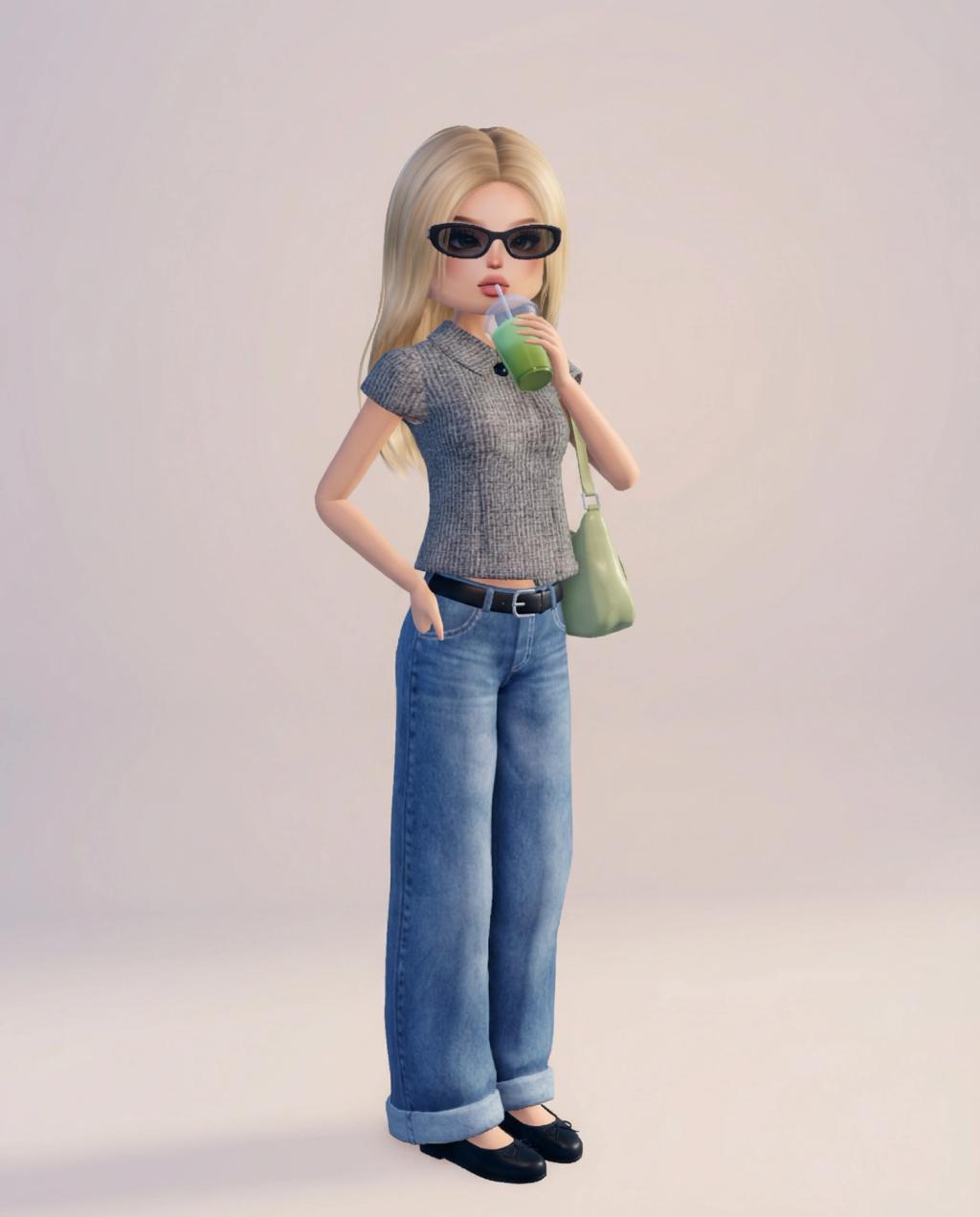
Roblox Dress to Impress (DTI) Style Avatar Transformation
Image
GeminiPrompt Type: Image generation prompt
Click to try on Gemini
1
Number of original images required
2,515
Total number of views
Use the uploaded image as the sole and absolute reference.
GOAL
Transform the real person in the uploaded photo into a highly exaggerated Roblox Dress to Impress (DTI) runway-style avatar. The result should closely match the official in-game DTI character proportions and scale.
POSE & FRAMING (ABSOLUTE LOCK)
– Preserve the exact same pose, stance, body orientation, camera angle, framing, and crop as the uploaded image
– No reposing, no perspective changes, no zooming, no cropping adjustments
– Single character only, matching the original framing
ROBLOX DRESS TO IMPRESS – RUNWAY PROPORTIONS (VERY IMPORTANT)
– Strongly exaggerated DTI proportions (match in-game runway avatars)
– Oversized head (clearly larger than realistic human proportions)
– Long, slim torso with narrow shoulders and waist
– Very long, straight, stylized legs
– Simplified, blocky Roblox geometry refined for fashion presentation
– Smooth plastic / vinyl Roblox material finish
– Overall tall, slender, fashion-doll runway silhouette
FACE & HEAD (DTI STYLE)
– Roblox Dress to Impress facial style only
– Large, expressive eyes with minimal facial detail
– Simplified nose and mouth
– Smooth, flat Roblox-style skin (no pores, no realism)
– Preserve the subject’s face shape, eye color, skin tone, and likeness so they remain clearly recognizable
HAIR & HEADWEAR
– Convert the hairstyle into Roblox Dress to Impress hair assets
– Preserve the exact haircut shape, length, parting, volume, and color
– Hair should appear clean, sculpted, and stylized for runway display
– Convert any hats or headwear into Roblox DTI-style equivalents
CLOTHING & ACCESSORIES
– Convert the exact outfit into Roblox Dress to Impress fashion items
– Preserve clothing type, silhouette, color palette, patterns, and layering
– Outfit should feel high-fashion, runway-polished, and clean
– Convert jewelry, glasses, belts, and all accessories into Roblox DTI style
– No outfit redesigns, no substitutions, no added items
FOOTWEAR
– Shoes must be Roblox Dress to Impress style
– Slightly oversized or elongated to match DTI runway proportions
– Preserve original shoe type, design, and color
STRICT RULES (DO NOT BREAK)
– Do NOT change the pose, framing, or camera angle
– Do NOT change outfit colors, clothing type, or accessories
– Do NOT add props, text, logos, or background elements
– Do NOT use anime, Pixar, Bratz, LEGO, or realistic 3D styles
BACKGROUND & RENDER
– Clean neutral background only (white, beige, or soft pastel gradient)
– Even lighting, no dramatic shadows
– High-resolution, polished Roblox Dress to Impress runway avatar
– Final output should look indistinguishable from an in-game Roblox Dress to Impress character placed into the original pose