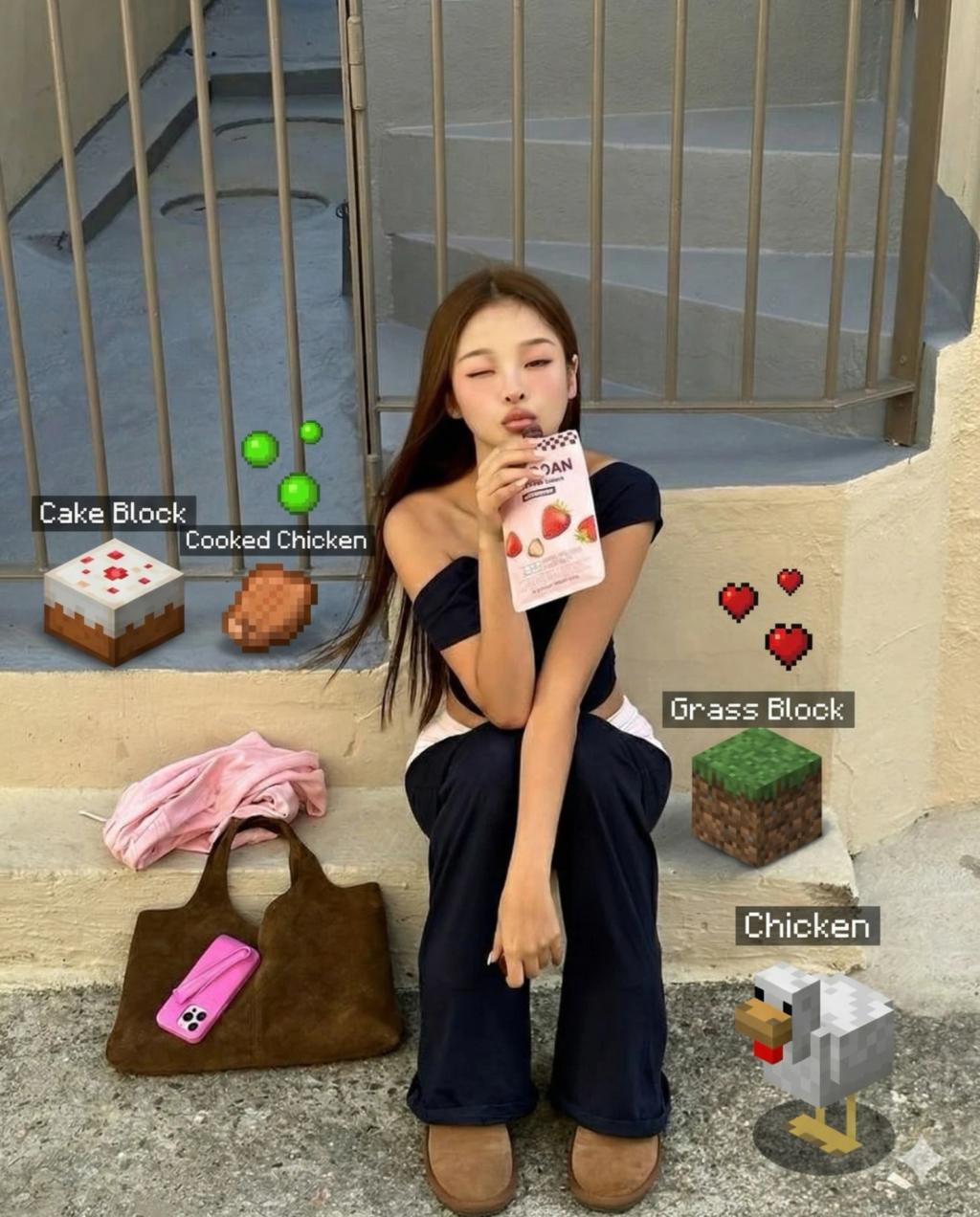
Minecraft Add-On Mode
Image
GeminiPrompt Type: Image generation prompt
Click to try on Gemini
1
Number of original images required
1,244
Total number of views
Do not modify or replace any existing people, objects, or background in the uploaded photo.
Only add Minecraft elements.
All added elements must be realistically integrated into the scene:
• Correct scale relative to nearby objects
• Perfect perspective + horizon alignment
• Lighting and shadows matched to the real environment
• Natural contact with surfaces (table, ground, hands if placed there)
• No clipping through real objects
Choose Minecraft additions that fit the composition and enhance the scene, such as:
Minecraft food items placed logically on open surfaces
Useful or decorative blocks that sit naturally (grass block, crafting table, furnace, bookshelf)
Small mobs like pigs, chickens, cats, or baby villagers
Subtle Minecraft particles: XP orbs, pixel hearts, tiny item-drop icons
Add Minecraft inventory-style labels ONLY to added objects:
White pixel font
Dark semi-transparent rectangular UI background
Positioned cleanly without blocking real faces or disrupting main subjects
Examples:
• “Cooked Turkey Leg”
• “Cake Block”
• “Potion of Sparkling Water”
• “Diamond Sword (Iron)”
Absolute Rules
Do not pixelate or alter any real food or items
Do not obstruct faces or key elements
Do not add Glass Blocks or any glass-based block variants
Keep additions minimal, playful, and visually balanced
Creative Goal
Make it look like Minecraft gently and believably entered real life — fun details that blend perfectly with the real photo.