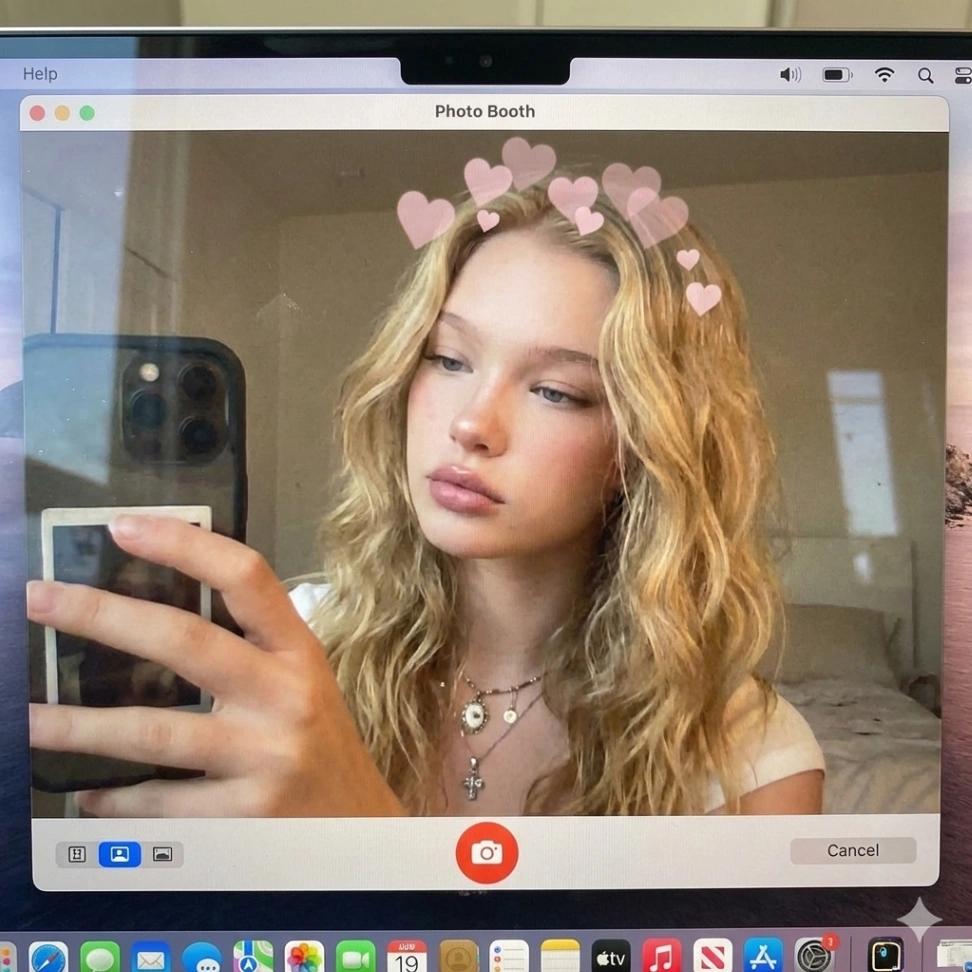
Macbook Photo Booth Selfie
Image
GeminiPrompt Type: Image generation prompt
Click to try on Gemini
1
Number of original images required
34
Total number of views
Recreate a realistic MacBook Photo Booth selfie using the uploaded image as the subject identity, face, hair, and expression.
The scene is shot through a MacBook screen showing the Photo Booth app UI, including:
Top MacBook notch and webcam area
“Photo Booth” app interface with subtle UI elements
Bottom macOS dock faintly visible
Slight screen glare and reflection for realism
The subject is holding a phone and taking a selfie, centered in frame, with:
Natural indoor lighting
Soft, warm tones
Slight webcam distortion and mild softness typical of Photo Booth
Casual bedroom or hotel room background
Add a subtle heart filter overlay (light pink hearts floating above the head), consistent with Photo Booth effects.
Camera feel:
Front-facing MacBook webcam perspective
Slight wide-angle distortion
Authentic, unpolished, everyday selfie vibe
IMPORTANT
Do not beautify or stylize
Do not change facial features, pose, or expression
Keep it realistic, candid, and true to a MacBook Photo Booth capture
The uploaded image defines the subject entirely
High realism, natural imperfections, true-to-life MacBook Photo Booth aesthetic.