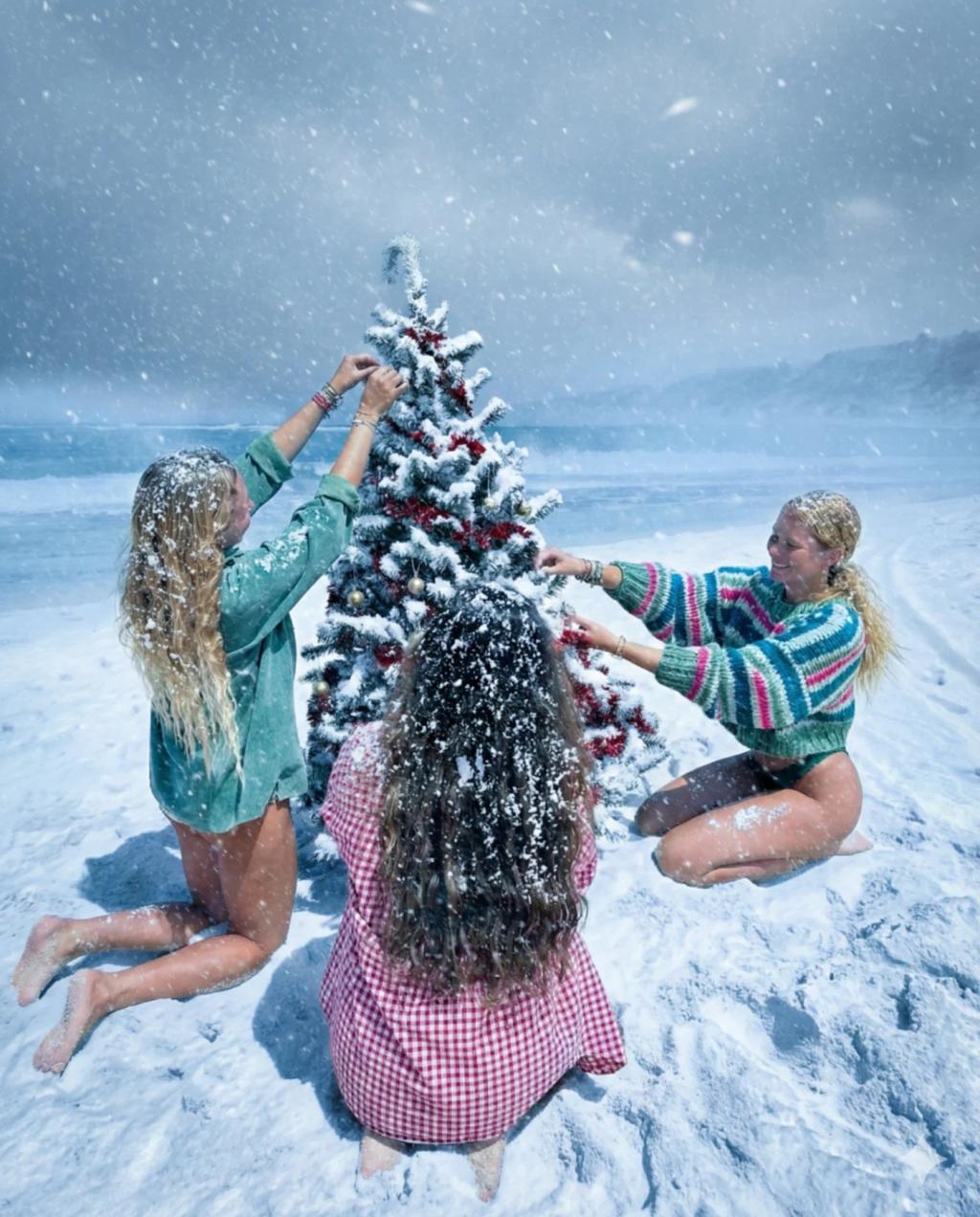
Heavy Snow Effect
Image
GeminiPrompt Type: Image generation prompt
Click to try on Gemini
1
Number of original images required
364
Total number of views
Transform the uploaded photo into a deep-winter, heavy-snow scene while keeping the original subject, pose, clothing, background structure, camera angle, and composition completely unchanged.
Apply these changes:
Add very heavy snowfall with dense flakes at multiple depths, creating a strong blizzard atmosphere.
Cover the entire ground with thick, piled-up snow, completely replacing visible floor or pavement while maintaining original perspective and contours.
Add natural snow buildup on surfaces: rooftops, railings, ledges, trees, objects, shoulders, and hair edges of the subjects—realistic accumulation but not exaggerated or comedic.
Introduce cold winter color grading (cool tones, crisp whites, blue shadows) with zero warm glow or holiday lighting.
Add a slightly foggy, cold air haze in distant background elements for realism.
Ensure the snow looks fresh, compacted, and high-quality—not melted, slushy, or soft-focus.
Preserve all subject details, faces, poses, clothing, and proportions exactly as in the original image.
Hard rules:
No glow, no fairy lights, no Christmas lighting.
Do not change clothing.
Do not change composition or remove objects.
No added props (no ornaments, Santa hats, etc.).
Photorealistic only.