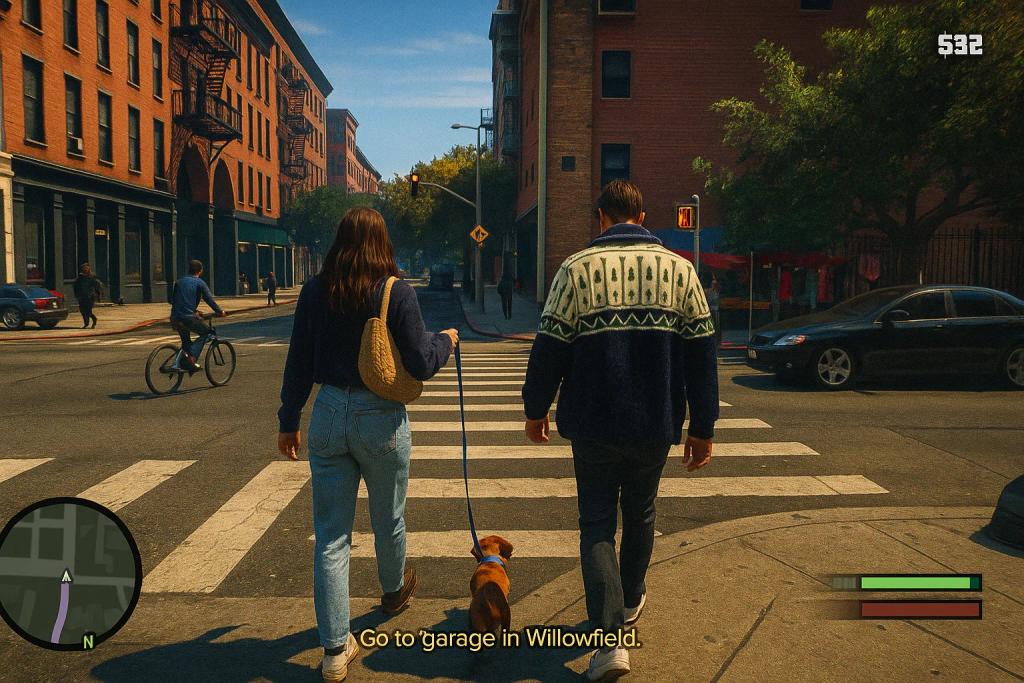
GTA V Gameplay
Image
ChatGPTPrompt Type: Image generation prompt
Click to try on ChatGPT
1
Number of original images required
2,910
Total number of views
Transform the uploaded photo into a Grand Theft Auto V gameplay screenshot. Recreate the subject exactly — same pose, facial expression, clothing, and accessories — but in the GTA 5 in-game style.
Make it look like a real console gameplay capture, not photorealistic:
Slight pixelation and jagged edges (aliasing), mid-resolution textures, and oversaturated colors.
Cinematic but artificial lighting, like in GTA 5 streets, neighborhoods, or city backdrops.
HUD elements: mini-map in the bottom left, health and armor bars, weapon icon, money counter, and wanted stars if applicable.
On-screen mission text or hints, e.g., “Press F to enter vehicle” or “Go to the garage in Willowfield.”
Add dynamic gameplay effects if relevant: muzzle flashes, bullet sparks, blood splatter, car damage smoke, or ragdoll NPCs.
Framed in third-person perspective (slightly behind or angled view) with the feel of a paused or live GTA 5 action screenshot.
The final output should look exactly like an authentic GTA 5 screenshot straight from the game.