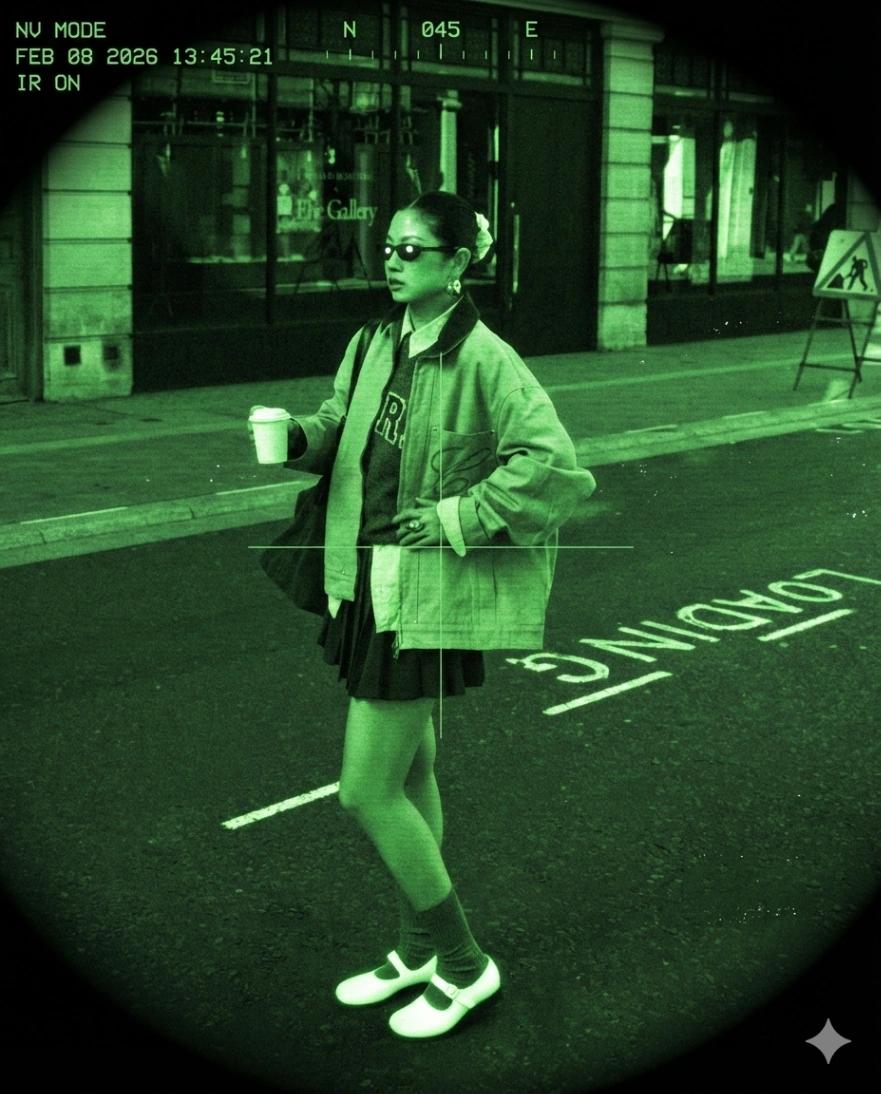
Green-Tinted Night Vision Surveillance Effect
Image
GeminiPrompt Type: Image generation prompt
Click to try on Gemini
1
Number of original images required
188
Total number of views
Transform the uploaded photo into a night vision (infrared/NV) surveillance aesthetic — like footage from military night-vision goggles or a wildlife documentary infrared camera.
Night vision treatment:
– Convert the entire image to a monochromatic green palette — bright phosphor green for highlights, dark forest green for shadows, near-black for deepest darks
– Specific green tone: match the signature Generation 3 night-vision phosphor green (bright lime-green highlights, deep green-black shadows)
– Subject's eyes should have bright white-green reflective points (infrared eye reflection)
– Bright areas (skin, reflective surfaces) should glow and bloom with slight halation in the green channel
– Dark areas should have visible electronic noise and grain
NV technical artifacts:
– Strong circular vignette — bright center, darkening to near-black at circular edges (simulating the round NV eyepiece view)
– Heavy electronic grain and noise — denser in dark areas
– Slight scan-line pattern overlay (very faint horizontal lines)
– Occasional bright speckle noise (hot pixels)
– Very slight image intensifier bloom around bright objects
Overlay elements:
– Add thin green crosshair or reticle in the center of frame
– Small green text overlay in corner: "NV MODE" or "IR ON" + timestamp
– Subtle compass bearing indicator at top of frame
Hard rules:
– Do NOT change the subject's face, hair, body, expression, or pose
– Do NOT change the composition, framing, or outfit
– Only apply green night-vision color conversion, noise, and overlay elements
Output should look like authentic night-vision surveillance footage — eerie, military-grade, and high-contrast green.