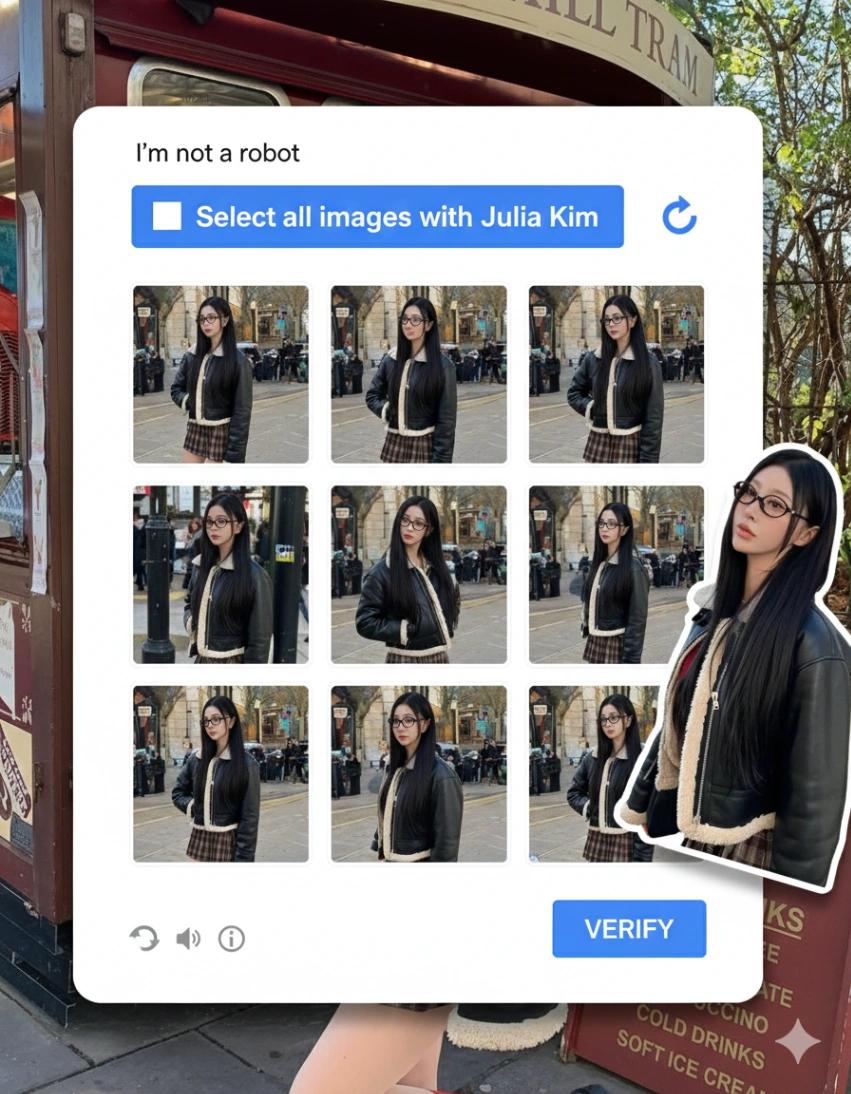
Google reCAPTCHA Style Interface Layout
Image
GeminiPrompt Type: Image generation prompt
Click to try on Gemini
1
Number of original images required
517
Total number of views
Recreate a realistic Google reCAPTCHA-style verification interface as a full image composition.
Layout & UI (STRICT):
White rounded card centered in the frame
Top left: checkbox with text “I’m not a robot”
Top right: reCAPTCHA refresh icon
Blue header bar with bold white text:
“Select all images with [YOUR NAME]”
Below the header: a 3×3 grid (9 total square cells) with thin white borders
Bottom right: blue “VERIFY” button
Bottom left: small reload, audio, and info icons
Overall UI should feel authentic, clean, and indistinguishable from a real CAPTCHA
Image Grid Behavior (VERY IMPORTANT):
Each of the 9 grid cells must contain a different photo variation generated from the user-uploaded image
All grid images must clearly depict the same subject from the uploaded image
Variations can include:
Slightly different angles
Different crops (full body, mid-body, close-up)
Minor pose or framing shifts
Natural candid variations
Keep the subject’s identity, outfit, body proportions, face, and hairstyle consistent across all cells
Backgrounds should feel realistic and contextually consistent, not abstract or AI-stylized
Do NOT repeat the exact same image twice
Floating Cutout Element:
Add one larger cutout of the subject (from the uploaded image) partially overlapping the CAPTCHA card
The cutout should look like a clean photo cutout placed above the UI, casting a subtle shadow
Keep pose and expression natural and confident
Style & Rendering:
Photorealistic, high-resolution
Natural lighting and true-to-life colors
Editorial street-photography realism
No painterly, cartoon, or illustration styles
No exaggerated effects or filters
Hard Rules:
Do NOT change the CAPTCHA UI layout or text structure
Do NOT add extra text or branding
Do NOT distort the subject’s face or body
Do NOT introduce new people
Do NOT make it look like a parody or illustration
The final image should look like a real CAPTCHA screenshot, except every image tile is populated with variations of the user-uploaded photo, creating a clever, believable, high-fashion CAPTCHA recreation.