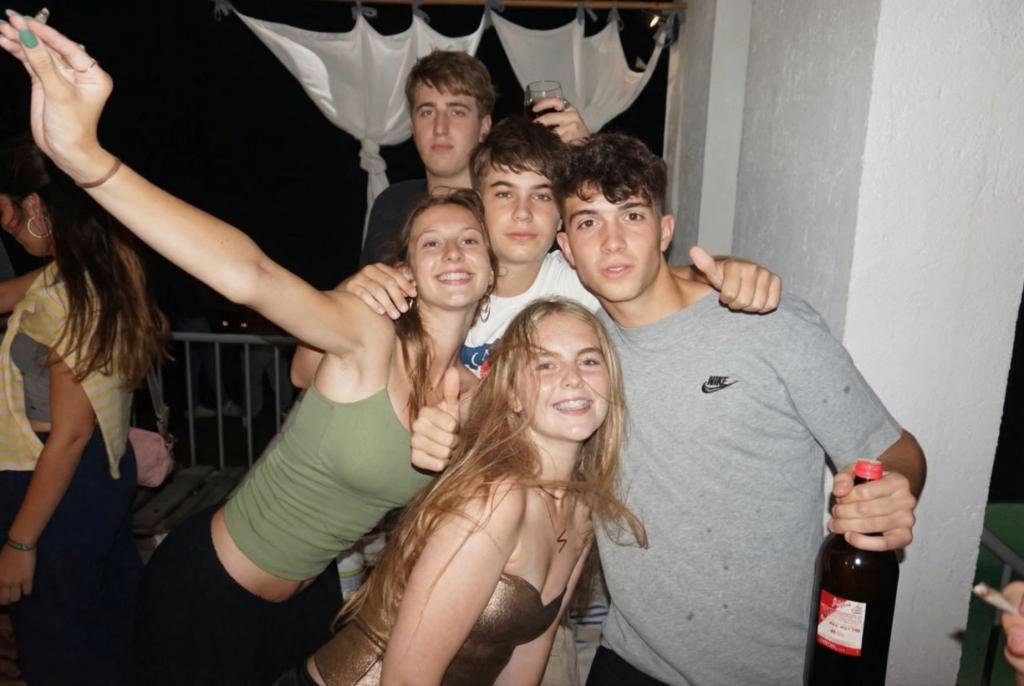
Fix Group Photo: Make Everyone Look Good
Image
GeminiPrompt Type: Image generation prompt
Click to try on Gemini
1
Number of original images required
15
Total number of views
Use the uploaded image as the exact base reference.
TASK: Fix a group photo so everyone looks their best — correcting individual issues while maintaining the overall photo's natural feel.
CORRECTIONS TO APPLY TO EACH PERSON:
– Fix closed or half-closed eyes → open them naturally
– Fix awkward expressions → subtle adjustment to neutral/pleasant (ONLY if clearly unflattering — NOT for everyone)
– Reduce red-eye from flash
– Minimize blemishes and under-eye circles
– Subtle skin tone evening
– Fix obvious hair flyaways
– Subtle teeth whitening if smiling
OVERALL PHOTO ENHANCEMENT:
– Even out the lighting across all subjects — no one should be dramatically darker or brighter than others
– Subtle color correction and white balance optimization
– Increase overall sharpness and clarity
– Reduce background noise/grain if shot in low light
– Clean up background distractions if possible
CRITICAL NATURAL BOUNDARIES:
– Every person must remain immediately recognizable — no beauty filters, no face reshaping
– Each person's natural features, skin tone, and body must be preserved
– Corrections should be SUBTLE — this should look like a well-taken photo, not an edited one
– Maintain the natural candid/posed energy of the original shot
– Do NOT change anyone's outfit, accessories, or positioning
PRESERVATION RULES:
– Do NOT change body shapes, heights, or positions
– Do NOT remove or add people
– Do NOT change the background setting or composition
– All corrections must be individually subtle and collectively invisible
OUTPUT:
The same group photo but with everyone looking naturally great — the keeper from the bunch that somehow everyone approves.