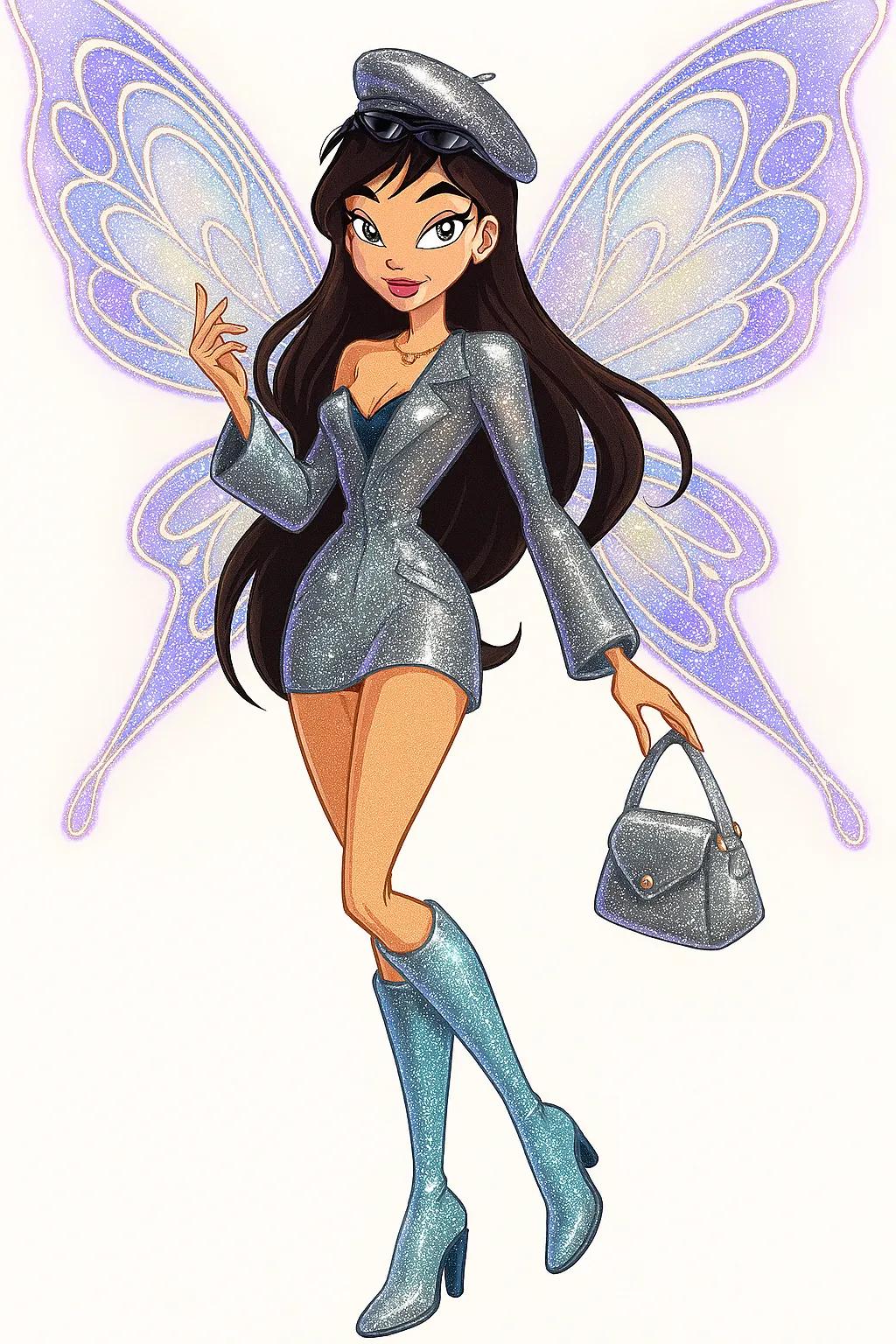
Enchantix Winx Fairy
Image
ChatGPTPrompt Type: Image generation prompt
Click to try on ChatGPT
1
Number of original images required
40
Total number of views
Transform my photo into a high-glam Enchantix Winx-style fairy character using 3D rendering for the outfit, wings, accessories, and hair, but keep the face, skin, arms, and legs in stylized 2D animation, exactly like classic Winx Club (Enchantix era).
### ✨ Face & Body (2D only):
Use the iconic Winx 2D style —
- Sharp V-shaped jawline
- Large almond cat-like eyes (keep my real eye color)
- Long lashes, lifted arched brows
- Glossy smooth skin
- Heart-shaped lips with radiant expression
- Maintain long, slender fairy-like proportions with narrow waist, elegant arm gestures, and long legs
### ✨ Hair, Outfit & Accessories (3D):
- Keep the original hairstyle, hat, outfit, and accessories from the reference photo
- Stylize them into a sparkling, high-fashion magical version using shimmering fabrics (like fairy silk, sequins, or holographic textures)
- Boots, beret, and bag should all be 3D and match the real design with glam magical enhancement
### ✨ Wings (3D):
- Add large glowing butterfly-style wings with radiant outlines and intricate Enchantix-like patterns, softly pulsating with magic
- Wings should shimmer in pastel hues like light purples, blues, and golds
### ✨ Pose & Background:
- Keep a dynamic, confident Winx-style transformation pose with an elegant hand gesture
- Use a clean white or light beige background to highlight the character without distraction
Note:
- A bit less glitter on the outfit
- Keep the color of the outfit the same as the photo
- Change wing color accordingly to match the outfit’s color theme
- Keep the pose as if they are flying and a bit dynamic
- Don’t add accessories that aren’t in the photo — only use the ones from the original photo