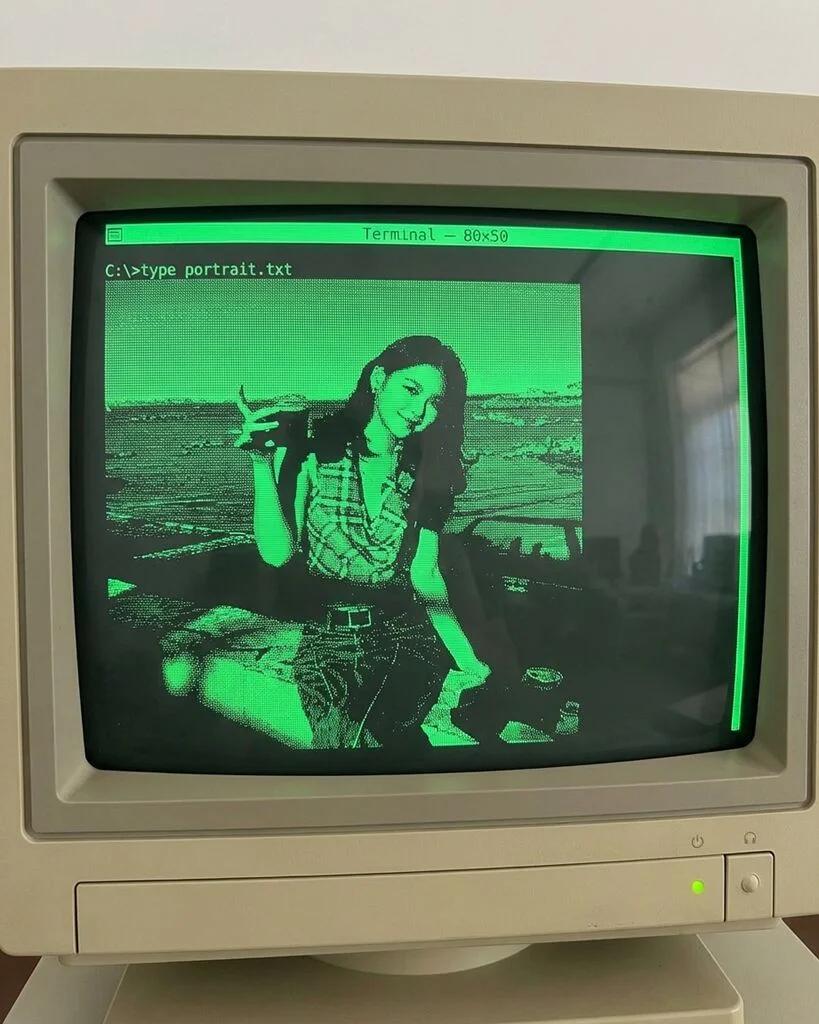
ASCII Art Terminal Portrait
Image
GeminiPrompt Type: Image generation prompt
Click to try on Gemini
1
Number of original images required
0
Total number of views
Transform the uploaded photo into an ASCII art portrait as if displayed on a retro computer terminal (green phosphor CRT). Use the uploaded image as the ONLY identity reference.
**IDENTITY RETENTION (STRICT):**
– Preserve the subject's overall silhouette, hairstyle shape, face proportions, and outfit
– They should be recognizable in ASCII character form — key features like hair, glasses, smile should be identifiable
– The composition should capture their pose and attitude
**ASCII ART STYLE:**
– The entire portrait is composed of ASCII characters: letters, numbers, symbols (@, #, $, %, &, *, +, -, ., :, ;, etc.)
– Denser characters (@, #, M, W) for dark areas, lighter characters (., :, ') for highlights
– Characters are arranged in a monospaced grid — each character occupies the same space
– The resolution should be high enough to show clear detail (at least 80 columns wide, 50+ rows)
– Shading gradients use this density scale: " .:-=+*#%@" (light to dark)
– Some creative use of specific characters to suggest features: () for face outline, -- for eyebrows, o for eyes, etc.
**TERMINAL DISPLAY:**
– Display on a retro CRT monitor: green phosphor text on a black background (classic hacker terminal)
– Screen curvature: slight barrel distortion at edges of the CRT
– Scanlines: horizontal lines visible across the screen
– Phosphor glow: green characters have a slight bloom/glow halo
– Screen reflection: a faint reflection of a room visible on the glass
– Monitor bezel: chunky 1980s or early 90s CRT monitor frame in beige/cream plastic
– Power LED (green) on the monitor bezel
**TERMINAL CONTEXT:**
– Include a command prompt above or below the art: "C:\>type portrait.txt" or "$ cat portrait.asc"
– Maybe a cursor blinking at the bottom
– Terminal title bar: "Terminal — 80x50" or "PuTTY — portrait.asc"
**OUTPUT:**
– Full ASCII art portrait on a CRT monitor screen
– Green-on-black color scheme with phosphor glow
– Visible scanlines and screen curvature
– Retro computing aesthetic
**NEGATIVE CONSTRAINTS:**
– No color ASCII art — strictly monochrome green on black
– No smooth rendering — each pixel should clearly be a text character
– No modern flat-screen display — must be a CRT with curvature and scanlines
– Do not use actual image rendering — this should look like real ASCII art made of text characters